Everything between the print and the quote
MFC covers the whole estimating chain — measure the geometry, run it through your process catalog, layer on your fees, and hand the customer a branded PDF. Here's each module in depth.
Measure the part. Not the guess.
Surface area drives finishing price, so MFC starts there. Pick a shape calculator for everyday parts, or import the customer's actual 3D file and click the faces you'll process.
- 20+ shape calculators — flat stock, 3D solids, tubes & pipe, structural shapes
- STEP / STL import with interactive face selection in the 3D viewer
- Per-face box pricing for enclosures, panels, and open-top boxes
- Measured area feeds straight into pricing — no transcription step
Unlimited processes, priced exactly your way
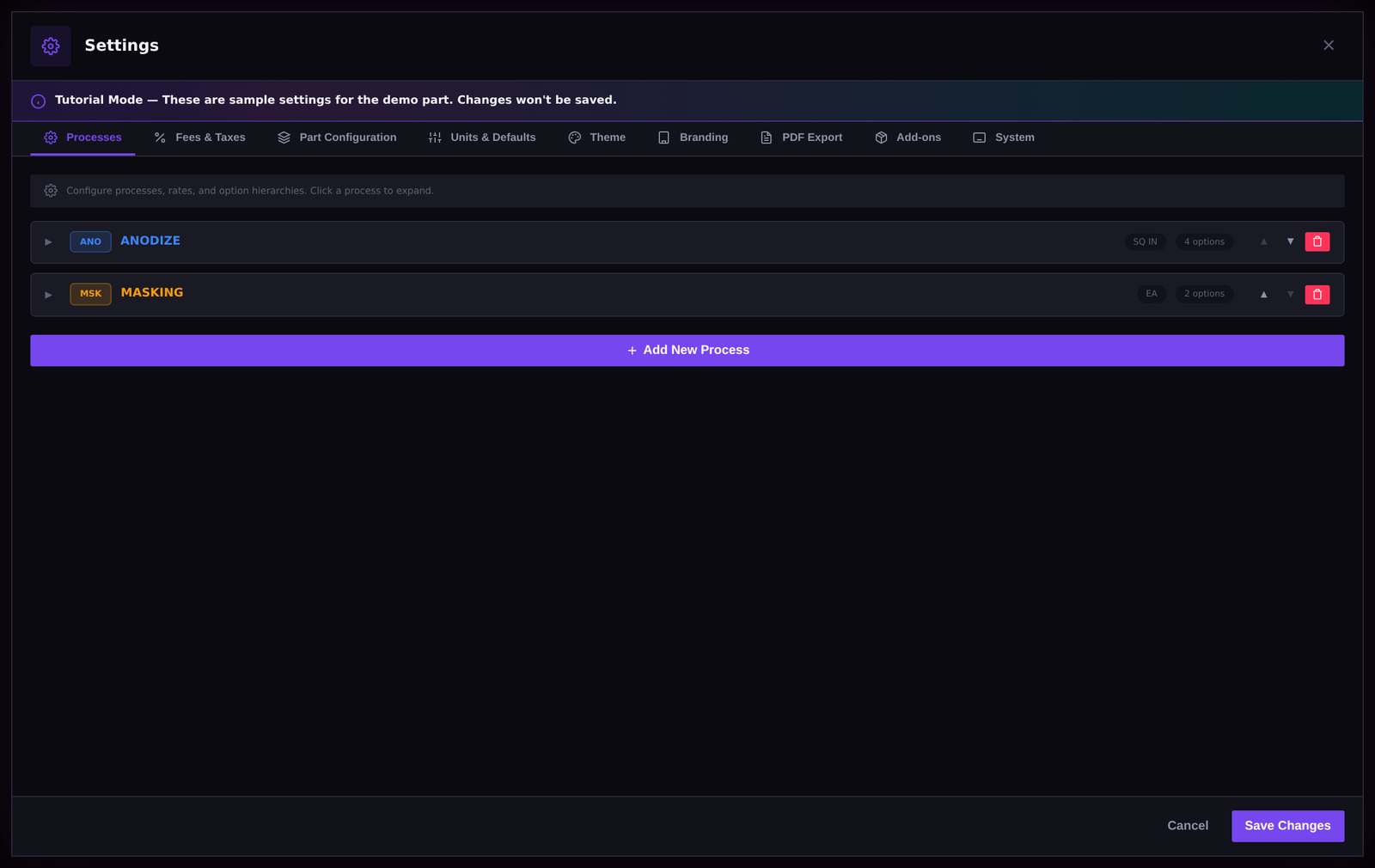
MFC ships as a blank canvas. You define every process your shop runs and how it's priced — then spec options cascade and stack so the same job prices the same way, no matter who quotes it.
- Unlimited processes — anodize, plate, powder, chem-film, passivate, anything you run
- Six unit types: SQ IN, SQ FT, EACH, MINUTE, COMBINED, and CUSTOM
- Cascading option tiers with stacking rate modifiers — Class 2 × hard-coat × black dye, computed live
- Automatic quote notes — selected options write their spec callouts onto the quote
Stop the margin leaks before they leave the building
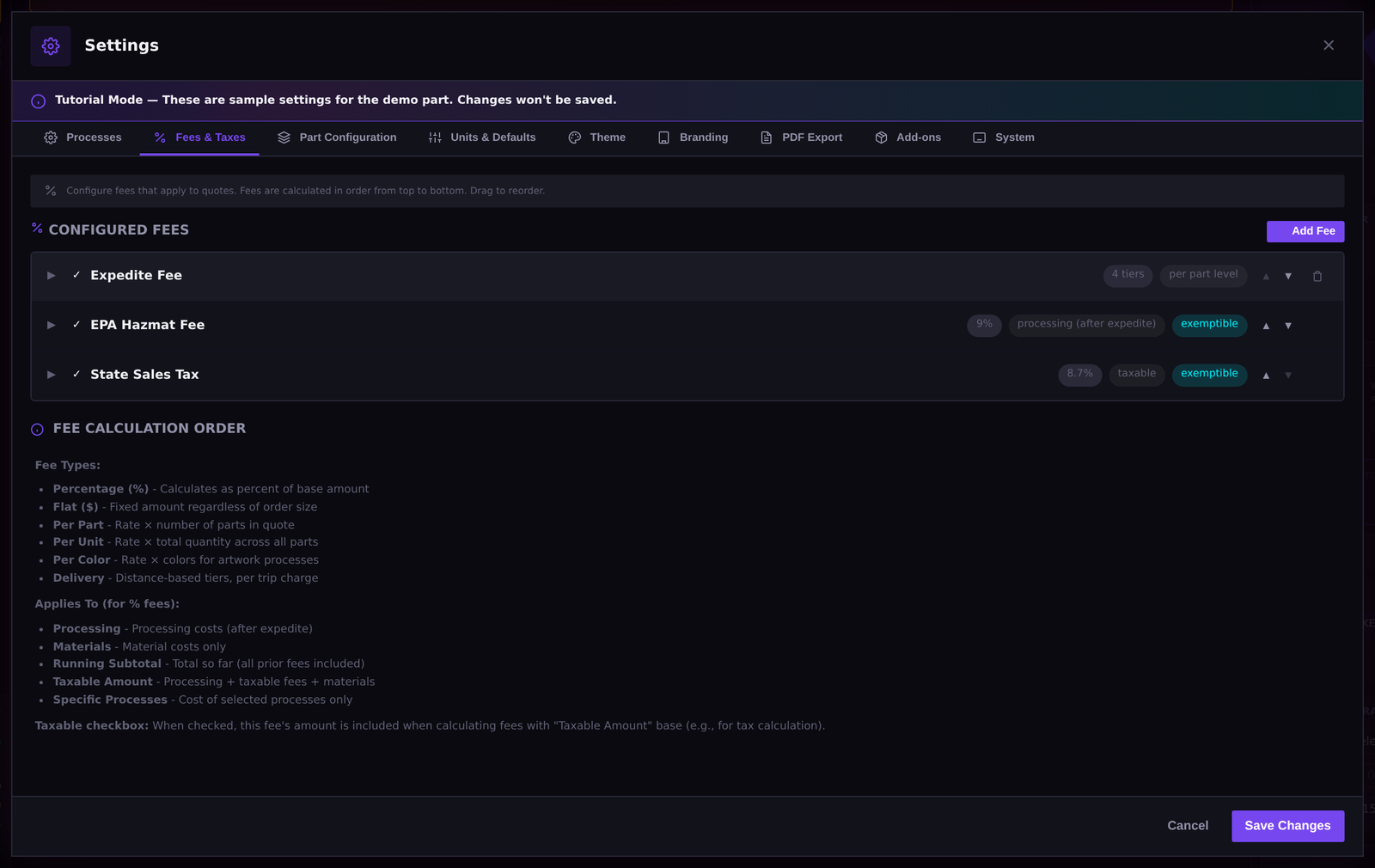
Setup charges, masking, expedite, delivery — the fees that get forgotten on a busy Friday are the ones that eat the month's margin. Encode them once and MFC applies them every time, exactly where they belong.
- Eight fee types: percentage, flat, per-part, per-unit, per-color, delivery tiers, expedite, and conditional
- Fee targeting — apply fees to specific processes, the whole quote, or only when conditions hit
- Minimums, maximums, rounding rules, and exemptions enforced automatically
- Materials tracking with lead time, so consumables and supply delays show up in the quote
Quotes that look like they came from your shop
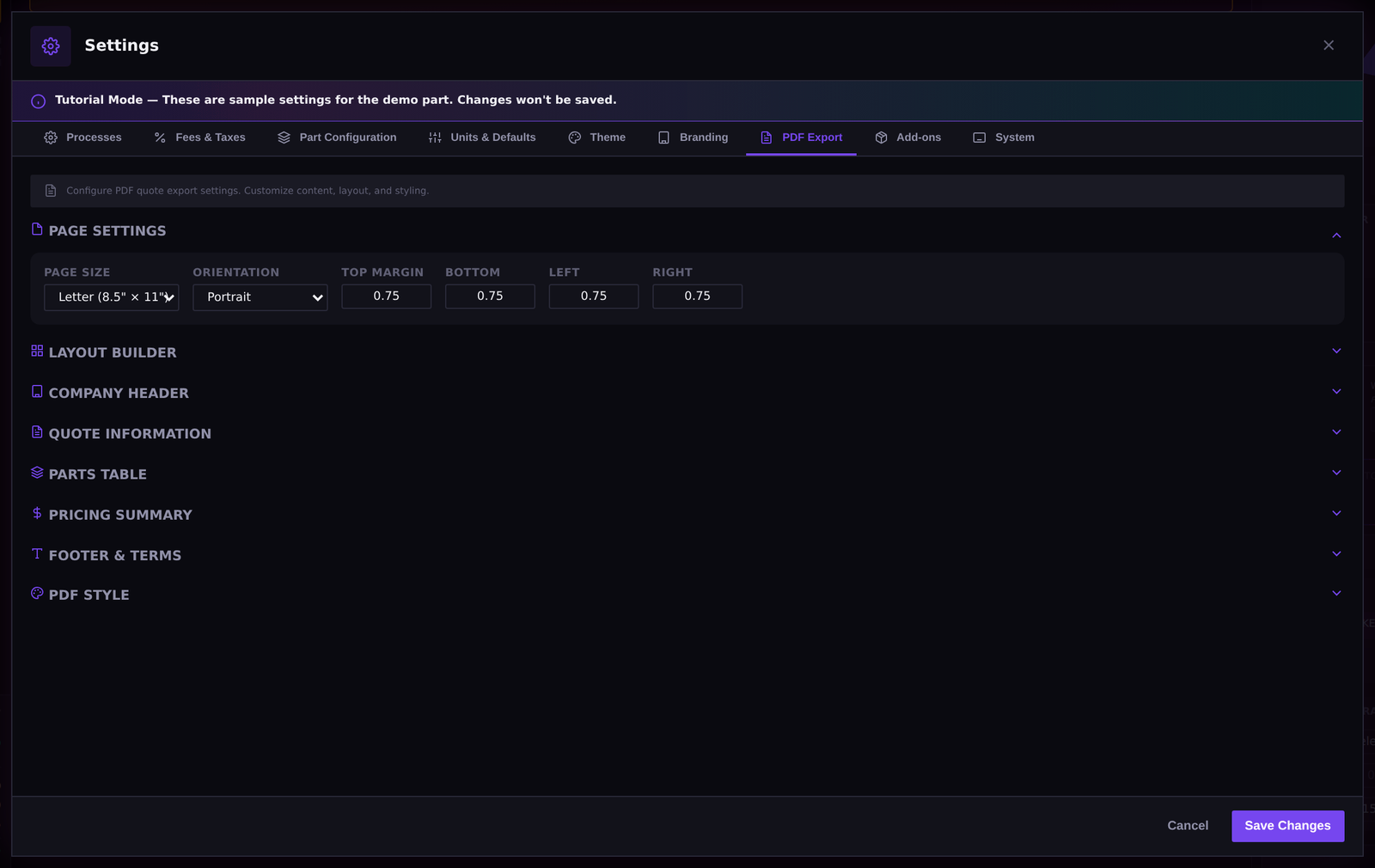
The number is only half the quote. MFC produces a clean, branded PDF your customer can approve on sight — and keeps the history when rev B turns into rev F.
- Your branding on every quote — logo and presentation, configured once
- Configurable columns — show exactly the detail each customer needs
- Revision history — track quote changes as the job evolves
- Letter, A4, and Legal paper sizes
One source of truth for the whole front office
Your rates, processes, and fees live in a settings file you control. Put it on a shared network drive and every estimator quotes from the same playbook — update it once, everyone's current.
- Nine settings areas covering every part of the pricing engine
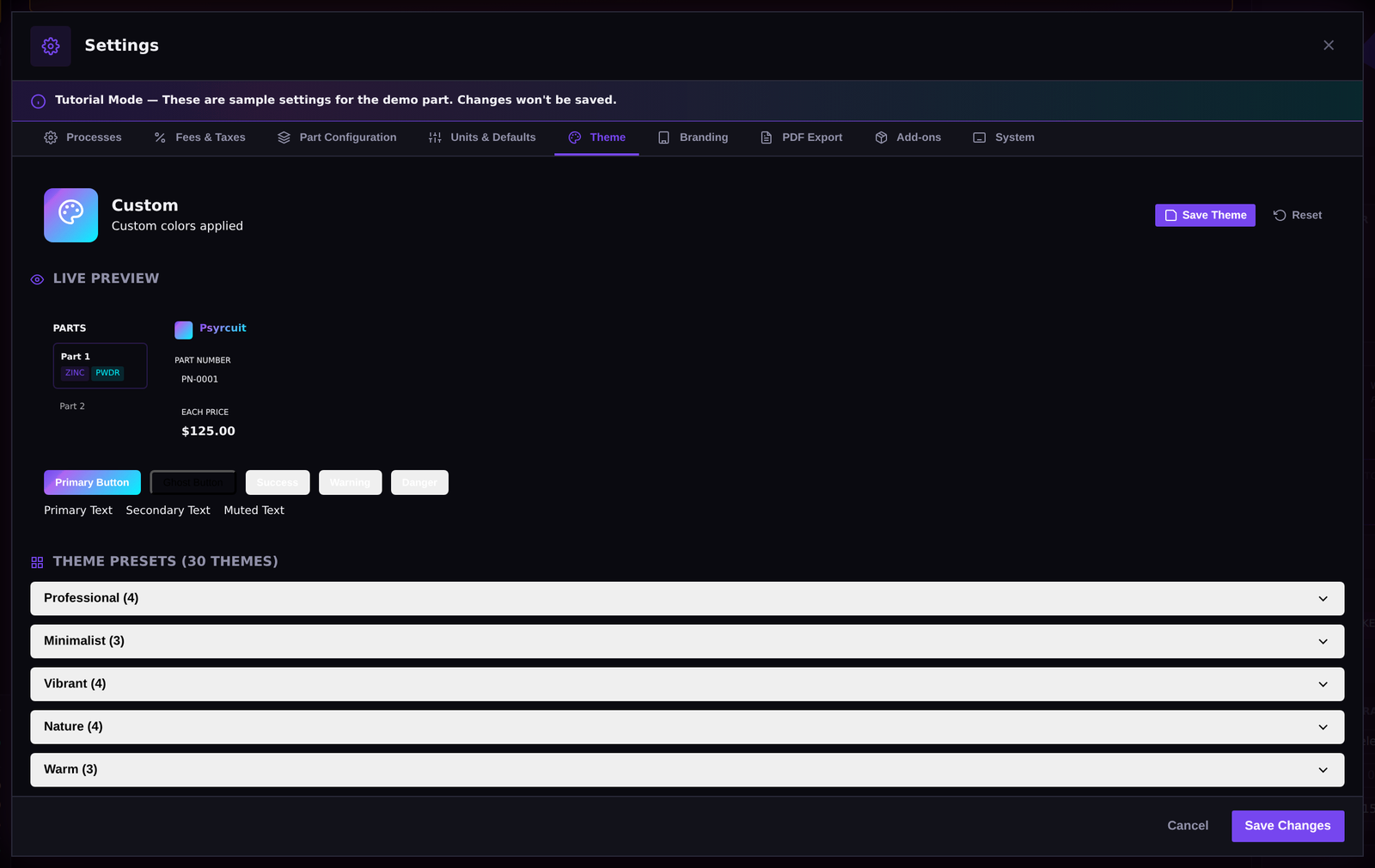
- 30+ visual themes — set the app up the way each estimator likes it
- Shared network workspace — point multiple seats at one settings file
- Selective import / export — move just the processes or fees you want between machines

Learn it without breaking anything
New estimator? MFC's built-in tutorial walks through the workflow step by step, and demo mode runs on sample data — so the team can practice quoting without touching your real processes and rates.
- Guided tutorial built into the app
- Demo mode with sample data — explore safely, nothing real gets changed
- Backed by a full product guide, printable to PDF
See all of it in one quote
The full calculator runs in your browser — geometry, processes, fees, PDF export. No signup, no install, no sales call.